Moving from the regional map to the Atlas
The detailed map shows the tiles inside one region. The Atlas provides a wider view of the world: it presents known regions, their state, overall control and the passages connecting them. The Atlas button opens it from the map; selecting a region then returns to its detailed map.
Regions and their links belong to the world being viewed. Their name, Atlas position, state and passage coordinates are persistent and admin-managed, so changing season or browsing an archive never mixes two geographies.
The map only opens a region that exists in the viewed world. An unknown address creates no region. Existing sealed standard regions remain viewable without allowing travel through them. Displayed movements belong only to that world.
Administrators can temporarily disable regions with the atlas.regions_enabled setting. The world then returns to a single-region mode centred on the active bastion: the Atlas and passages disappear, their tiles visually recover the neighbouring natural terrain, and new interregional missions are refused. The complete topology remains stored for a later lossless reactivation.
The Atlas is presented as an illustrated tactical map. The glowing point marks the active bastion region and arrows show only its current direct access. Other points represent regions already known, while fog of war covers boundaries that are not yet in play and preserves room for future world extensions.
A red marker identifies every active Ash Front in a known region. Its Atlas card shows the current concentration, scheduled closure, any stabilization and the player alliance operation progress. The regional front remains visible during the delay between two mobilizations, even when its action callout temporarily disappears from the detailed map.
A solid line represents a main passage, a dashed line a secondary route, and a temporary passage can be scheduled. Color indicates whether the link is neutral, controlled, contested or sealed. The Atlas explains this topology; missions are still prepared from the detailed map.
A passage opening can combine four admin-managed conditions: it must not be sealed, it must be inside its schedule, the world must have reached a minimum phase, and a chosen alliance objective may need to have been completed by a specified number of alliances. Collective progress is counted as soon as the objective is completed, without waiting for its reward to be claimed. Until every condition is met, the passage is excluded from routes and the Atlas explains the lock and displays objective progress when relevant.
On the detailed map, every link endpoint appears as a visible regional-passage tile along the region edge, represented by a gateway without a technical number. Its halo follows its state: neutral, controlled, contested or sealed. Selecting it shows its destination; right-clicking also offers direct travel to the neighbouring map when the passage is open. A sealed link remains visible but does not offer this navigation.
For an interregional mission, the server composes an explicit route: regional travel to the threshold, the crossing cost, then travel from the arrival threshold. It can chain several passages and selects the least costly passable route. A sealed region, a sealed passage or a temporary passage outside its schedule is excluded. The mission snapshots its segments, regional coordinates and passage identifiers when it starts.
A controlled passage remains open to everyone. Members of the controlling alliance receive a default 15% cost reduction, while alliances with right of passage receive 5%. An outsider pays 25% more, capped at 2 route-cost units: control can therefore never trap them inside a region. A neutral secondary route may be selected automatically when it becomes cheaper.
While the passage remains controlled, its holders also receive an aggregated watch over active interregional movements using it. The reading separates friendly, hostile and other signals without revealing the player, mission type, army, origin or destination. It disappears during a contest and can be disabled through atlas.passage_control_vision_enabled.
While a passage is contested, both advantages and the surcharge are neutralized: everyone crosses at the base cost until control is resolved later. These multipliers and the cap are admin-managed, and both the Atlas and route preparation display the cost actually applied to the player.
An outsider surcharge remains an abstract route-cost unit: no traveller resource is taken or transferred to the controller. Keeping a controlled passage instead costs the shared treasury 20 essence every 24 hours by default. A conquest or new admin-assigned control grants one full period. Each due date creates at most one payment, with no debt or accumulated catch-up; if the treasury lacks essence, the passage becomes neutral and remains crossable. Cost and period are admin-managed through atlas.passage_maintenance_essence and atlas.passage_maintenance_period_hours, and every payment is written to the immutable treasury ledger.
An alliance member can contest a neutral or controlled passage by targeting either of its endpoint tiles. They choose the units sent against a 250-point guard on a neutral passage. A controlled passage starts at 500 defense, then each active member of its alliance with at least one bastion in either adjacent region adds 75 points, up to 300 extra points. Each member counts once regardless of their number of bastions, and members on vacation do not contribute. Members of the controlling alliance may also send their own units into a garrison shared by both thresholds, recall them to their bastion, and publish a reinforcement call visible to their allies. A garrison reinforcement or recall may be cancelled before arrival, as for a tower or outpost: reserved units turn back for a duration equal to the time already travelled and only return to their starting position on arrival. This garrison defends the passage whichever threshold is attacked; it suffers battle losses and its survivors are destroyed if the passage is captured, as with a fortified position. The passage immediately becomes contested and only one operation can take place there at a time. While the troops are still marching, the attacker may recall them: the passage immediately restores its previous state and controller, no stabilization delay starts, and the units return for a duration equal to the time already travelled. Victory transfers control to the attacker’s alliance; defeat restores the previous state and controller. After a combat is resolved, a global 12-hour stabilization delay prevents another assault. A non-aggression pact or a war whose break delay is still running forbids the operation.
The “Passage details” action groups its name, kind, status, two thresholds, holding alliance, crossing cost, defense, maintenance and any passage watch. As with a tower or outpost, holders and authorized supporters also see the detailed garrison by player and origin bastion together with reinforcements and recalls still in transit; opponents only see the aggregated garrison power included in defense.
Neutral defense, controlled defense, reinforcement per member, its cap and the stabilization delay are admin-managed through atlas.passage_neutral_defense_power, atlas.passage_controlled_defense_power, atlas.passage_presence_defense_per_member, atlas.passage_presence_defense_cap and atlas.passage_assault_cooldown_hours. The detailed defense is visible in the Atlas and at each threshold before an assault. Both alliances can see the military movement and receive a report when it resolves; the passage remains crossable throughout the contest.
Every region also has an admin-managed geographic profile: varied lands, great plains, deep woodland, highlands, ashlands or ancient remains. The profile strongly changes terrain density and palette: wide-open plains, continuous forest masses, rocky ranges, Ash and lava fields, or concentrations of ruins. In highlands, impassable rocks cover at most 35% of the region and at least 55% of tiles remain passable, preserving settlement basins between mountain ranges.
Hydrography varies as well. Depending on the region, water may form a vertical or horizontal river, a branching diagonal course, interrupted streams between lakes, separate basins or a lava sea. Public crossings remain distributed across important barriers and generation repairs any significant area or resource that would otherwise be isolated.
The generator uses the project’s complete hexagonal library for terrain, scenery and special locations. Fortresses, villages, sanctuaries, portals, mines, caves and other persistent landmarks are placed with sufficient spacing. They are visible and selectable but protected from ordinary construction until their future interactions, quests or operations are introduced.
The Heart of Ash and its anchors
The Heart of Ash is a special central region. It remains visible but sealed during settlement, expansion and conflicts, then opens automatically when the world reaches its finale. The server refuses any attempt to access it directly before that unlock.
The Heart is connected to the rest of the world by several passages subject to the same finale unlock. Two alternative routes are prepared by default so one frontier or passage cannot decide the whole confrontation.
The initial setup prepares five anchor points, three of which must be controlled simultaneously to power the final ritual. These values are admin-managed through season.heart.anchor_count and season.heart.required_anchors.
Each anchor has a neutral, controlled or contested state, a controlling alliance and fixed defense strengthened by its garrison. An alliance member can launch an assault from an accessible bastion. The anchor is contested during travel; cancelling restores its previous state and sends the troops home. Victory transfers control and clears the defeated garrison.
Members of the controlling alliance can send their own troops as reinforcements, recall them and follow movements still in transit. Exact garrison details remain restricted to that alliance; other players see control and overall defense without learning troop composition.
An alliance qualifies directly when it reaches season.ritual.seal_threshold. In a world with at most season.ritual.fallback_active_alliance_limit active alliances, the highest-ranked alliances may fill the number of safety-net places set by season.ritual.fallback_places. Once earned, qualification remains secured.
A qualified alliance can deliver Food, Dark wood, Iron and Essence by convoy to an anchor it controls. The Cart requirement is calculated from cargo volume and the Carts return after delivery. Cancelling starts a real return trip with the resources, while a delivery that can no longer be accepted returns its rejected cargo.
To protect finale integrity, no player may enter an alliance during the seven days preceding the finale or during the finale itself. The warning announcing this freeze appears 48 hours before it begins. Departures and exclusions remain possible. A member must have belonged to the alliance for at least 72 hours before sending ritual supplies; both values are admin-managed through season.alliance.roster_freeze_days and season.alliance.ritual_contribution_delay_hours.
Every delivery remains attributed to its author in an immutable ledger even after they leave or are excluded. A convoy sent by an already eligible member remains valid while travelling: a later departure does not retroactively erase that commitment.
Once the resources are complete and the required anchors are controlled simultaneously, ritual progress accumulates. The initial duration is 42 hours through season.ritual.duration_seconds. An interruption first pauses progress for season.ritual.decay_grace_seconds, then progressively removes the time share set by season.ritual.decay_percent instead of instantly resetting days of effort.
The first alliance to complete its ritual wins the season. If no ritual succeeds before the deadline, the tiebreak compares ritual progress, Ash Seals, stabilized regions, then completed major objectives in that order. The internal alliance identifier is used only to guarantee a deterministic result after a perfect tie.
Resolution also awards secondary distinctions for offensive victories, successful defenses, logistics, purification, diplomacy and individual ritual contribution. A category with no measurable performance simply has no recipient.
After resolution, the world enters an initial 48-hour epilogue managed through season.resolution.epilogue_hours. All progression is frozen while the map, rankings, reports and outcome remain available. The final archive preserves the winner, tiebreak ranking and distinctions.
Titles, distinctions and archives persist as account history and remain visible in the permanent profile’s season honours. A collective distinction stays associated with players who belonged to the recipient alliance when it was awarded, even if they later change alliances or worlds. No resources, units, research, positions or other competitive power transfer into a new world.
Anchor count, required simultaneous control, route count, fixed defense and assault cooldown are managed through season.heart.anchor_count, season.heart.required_anchors, season.heart.route_count, season.heart.anchor_base_defense and season.heart.anchor_assault_cooldown_hours. Current logistics targets require 75,000,000 Food, 60,000,000 Dark Wood, 45,000,000 Iron and 12,000,000 Essence. They use season.ritual.required_food, season.ritual.required_dark_wood, season.ritual.required_iron and season.ritual.required_essence.
The server tracks rituals and resolves official worlds every minute. An internal sandbox instead requires game:debug:season-resolution; its --reset option restores the state preceding resolution after the archive has been tested.
Understanding territory
Overlapping influences remain visible as hatching in both the accelerated PixiJS renderer and Canvas. They follow the Territories layer, preserve the diplomatic background color and can be combined with the Ash layer. At the farthest zoom, details are hidden to keep the map readable.
The map is a control space, not just a backdrop. Bastions, claims, towers and outposts project influence. That influence decides which tiles can be exploited, contested or protected. Ranges are counted in offset hex-grid steps, like travel routes.
The Essence reward for a simple exploration is granted only once, together with recording the discovery. A failed attempt grants no reward, and two simultaneous requests cannot award it twice.
The map toolbar groups zoom, region framing, bastion recentering, coordinate entry and a layer menu. The Territories layer uses server diplomatic permissions and the building halo colors: green for your influence, blue for allied or authorized influence, and red for active war. Amber hatching marks denied right of passage; light hatching in the opposite direction marks overlapping influences. When both states apply, they form a subtle diamond pattern. A dashed boundary still marks vision range. These choices are local to the browser and can be combined with the Ash layer. The selected tile, target and active movement pictograms open their corresponding information, with an accessible tooltip on hover or focus. In the panels, every available action is gathered into a compact list: each row shows its type, useful information and its own illustrated pictogram, then opens the corresponding preparation window. During raid preparation, the target name remains visible and available units are grouped into a grid of compact blocks to keep the window short. A colored banner displays an estimated risk — easy, moderate or difficult — by comparing the selected force with the latest known garrison intelligence; without usable intelligence, the risk remains unknown.
The right-click menu always reloads the chosen target panel and waits until it has actually loaded before displaying its actions. A previous selection, an incomplete panel, or a stale network response therefore cannot provide information or actions belonging to another tile.
Every bastion displays its name directly above the structure. Its alliance tag appears first when available, and the label background uses the diplomatic stance color: ownership, alliance, pact, neutrality, wary relations or war. The castle halo uses the same color, except when a white halo signals active protection. When a bastion, tower, outpost or landmark is hovered or selected, the outline follows the sprite silhouette instead of framing its tile.
A foundation may target any reachable neutral tile, even beyond territorial influence. It must respect the configured minimum hex distance from each of the player’s bastions and active foundation sites, plus an admin-managed three-tile distance from every regional passage by default. A tile exactly three hexes away is allowed. These distances are checked when the convoy starts and again when construction completes so parallel convoys cannot create bastions too close together. Claims, control towers and outposts remain limited by their own territorial range.
Cancelling an action never teleports committed troops. A claim contest or defense, garrison reinforcement or recall, foundation, transfer, trade convoy, or recalled mission turns back for a duration equal to the time already travelled. Units and cargo remain committed and only become available when they reach their starting position. From an established foundation camp, the convoy makes the complete return trip.
A tile can be visible without being controlled, controlled without containing a bastion, or contested by an action in progress. The server always revalidates the real tile state when a queue resolves.
To keep zooming and panning fluid, received terrain and borders are retained in a local static layer while structures, selections and movements remain dynamic. This separation changes no rule: the server remains authoritative, computes movement visibility and can revalidate an unchanged region without transferring its full contents again.
When the map opens, an illustrated loading screen replaces the black background while the renderer is prepared, the region is retrieved, textures are loaded, and strategic layers are assembled. Its bar follows these actual stages, displays a randomly selected cartographer’s tip, then disappears after the first complete frame. The same flow accompanies the Canvas fallback renderer.
The accelerated PixiJS renderer is used by default. The legacy Canvas renderer remains available through the `map_renderer=canvas` parameter and automatically takes over if graphics initialization fails or the GPU context is lost, without changing the requested region or framing.
Real-time updates are intended for regions currently being viewed. On opening or reconnecting, the map retrieves the current state of the region. Ash and other world changes continue even when nobody is viewing the map.
When a battle resolves in the displayed region, a short raster impact appears on its destination tile in real time. It only signals that a clash occurred: its appearance reveals neither the winner, losses nor loot. The effect becomes a static cue when the browser requests reduced motion.
A tower or outpost construction site does not project influence yet: range is added only when construction completes successfully.
Holding a border with a tower
Claiming a tile starts a map queue with travel and on-site work. The control tower appears only when that queue resolves successfully; it does not produce resources, but projects wider territorial influence than an outpost and can receive a garrison.
A tower has a level and fixed defense. Its owner can upgrade it through a map queue: resources are paid on launch, the level increases on completion, and the upgrade can be cancelled before expiry with a refund.
Dismantling is also timed. The tower stays in place and keeps defending while the queue runs; when it completes, the claim disappears, part of the upgrade costs is refunded, and the garrison returns to the origin bastion. If cancelled, the tower and garrison remain intact while the dismantling crew visibly returns to the bastion on the map.
A hostile tower remains a military target: the attacker can choose to capture or destroy it.
Exploiting T1/T2/T3 spots
Generation guarantees at least the minimum number of Food spots set by map.resource_food_backfill_target, even when the general resource spot density is reduced. Occupied, claimed or landmark tiles are never replaced to reach this minimum.
Resource spots have a T1, T2 or T3 size. That size defines their available stock. An outpost produces by consuming this stock: when it reaches zero, the spot no longer provides resources.
In every region open to player starts, active spots stay within configurable bounds. Defaults are 30 to 80 Food, 18 to 80 Dark Wood, 12 to 40 Iron, and 8 to 20 Essence. The geographical profile keeps its dominant resource without making another resource entirely unavailable or saturating the map; existing archives remain unchanged.
Rebalancing is deterministic and protects bastions, reserved positions, landmarks, possessions, outposts, contested tiles, and active actions. The settings are map.starting_region_resource_minimums and map.starting_region_resource_maximums.
Remaining stock is visible on the map so players can plan ahead. A report warns the player when a spot is depleted, making it easier to defend, negotiate, relocate or dismantle an outpost network.
A depleted spot marker remains dimmed and crossed out in red for 24 hours, then disappears from the map. This visual removal does not remove an existing outpost or change the respawn delay.
After depletion, a new spot can respawn elsewhere after a random delay defined by the admin settings for its size.
Building, upgrading or dismantling an outpost
An outpost turns a resource spot into production while stock remains. It has a level, fixed defense, optional garrison and weaker territorial influence than a tower.
Map action costs and availability use production accumulated since the last server tick, just like the realtime resource counter. Launching the action then recalculates and locks that stock before any payment.
While being built, the outpost uses a map queue but does not claim the tile or extend the player range yet. The active construction can be cancelled before it expires from “Active movements”; all paid costs are then refunded to the origin bastion.
An active upgrade can be cancelled while its queue has not expired. Paid costs are refunded to the origin bastion and the current outpost level is unchanged.
Dismantling is a timed action. On completion, it refunds 50% of the construction cost, rounded to an integer. The garrison stays in place during the whole duration, keeps defending, then returns to the origin bastion if dismantling succeeds. If cancelled, the outpost and garrison remain intact while the dismantling crew visibly returns to the bastion on the map.
An outpost being dismantled remains attackable and capturable until its queue completes.
Tracking living ash
Living ash is a lightweight map event: some tiles carry a visible intensity that can rise or recede during server resolutions.
It first spreads from existing pockets to all six adjacent tiles of the offset hex grid, without crossing region edges. It only seeds isolated new pockets when the region has no active front left to push.
Its intensity adds a small route cost to paths crossing the tile. On Essence spots, it also increases outpost yield, creating points of tension without blocking the map.
A purification action can be launched from an affected tile: it uses a map queue, appears in active movements, can be cancelled and reduces intensity by 1 when resolved.
The number of simultaneous purifications is limited per player. Base capacity is admin-managed and can be increased by a configured research, Logistics by default.
After an intensity change, the tile stays stabilized for an admin-controlled delay before Living Ash can change it again.
Levels remain shared in realtime with all players: the map, tooltips and tile details use the current server state.
V0 intentionally stays modest: it makes the map feel more alive without adding a heavy disaster system.
Reading active movements
The block below the map gathers visible missions and map queues in the region: spying, raids, direct transfers, trade convoys, reinforcements, recalls, foundations, upgrades and dismantling.
When travelling between regions, each map shows only its own portion of the route. Passage endpoints are not connected across the map: the marker follows progress within each region, on both outbound and return journeys.
When an action can be cancelled, the button appears directly in that block. Countdown expiry triggers a refresh, and realtime signals update the map, tile panel and visible movements.
Opening the map at coordinates
A coordinate link centers the map on its destination and selects the tile. That destination takes priority over the browser’s remembered position in both map engines.
An ordinary map visit restores the remembered position for that world and region. An explicit return view or saved view retains its framing. Visibility rules and regional access restrictions still apply.

 Food
Food
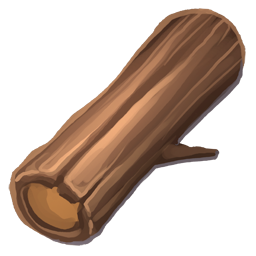 Dark wood
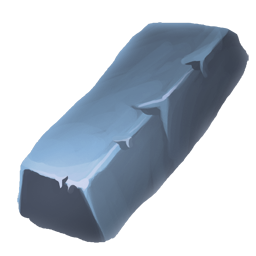 Iron
Iron
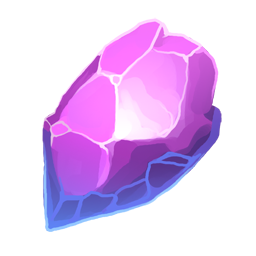 Essence